

New here? Read the four-part playing tutorial — start with The rules of 4D tic-tac-toe. This vignette focuses on the API; the tutorial focuses on actually playing.
What is 4D tic-tac-toe?
tesseractR plays tic-tac-toe on a four-dimensional
4×4×4×4 hypercube — 256 cells indexed by
(i, j, k, l), each coordinate in 0:3. A
line is any four cells whose successive differences equal a
constant non-zero direction vector in {−1, 0, 1}^4. After
collapsing reversed directions there are 520 winning
lines by the standard formula
((n + 2)^d − n^d) / 2 evaluated at
d = n = 4.
The geometry is the only thing that’s harder than ordinary tic-tac-toe. Everything else (engine, AI, visualization, analysis) is the usual surface, just generalised over the 256-cell board.
A first game
Each cell has a unique linear index in 1:256 derived
from idx = 1 + i + 4j + 16k + 64l. You can call
tsr_move() with explicit coordinates or with
cell =:
b <- tsr_new_board()
b <- tsr_move(b, 0L, 0L, 0L, 0L)    # X at (0,0,0,0) = cell 1
b <- tsr_move(b, cell = 17L)        # O at cell 17
b <- tsr_move(b, 1L, 0L, 0L, 0L)    # X at (1,0,0,0) = cell 2
print(b)
#>
#> ── <ttt_board> ──
#>
#> 4x4x4x4 board, 256 cells
#> moves played: 3
#> to move: O
#> legal moves: 253
tsr_plot(b)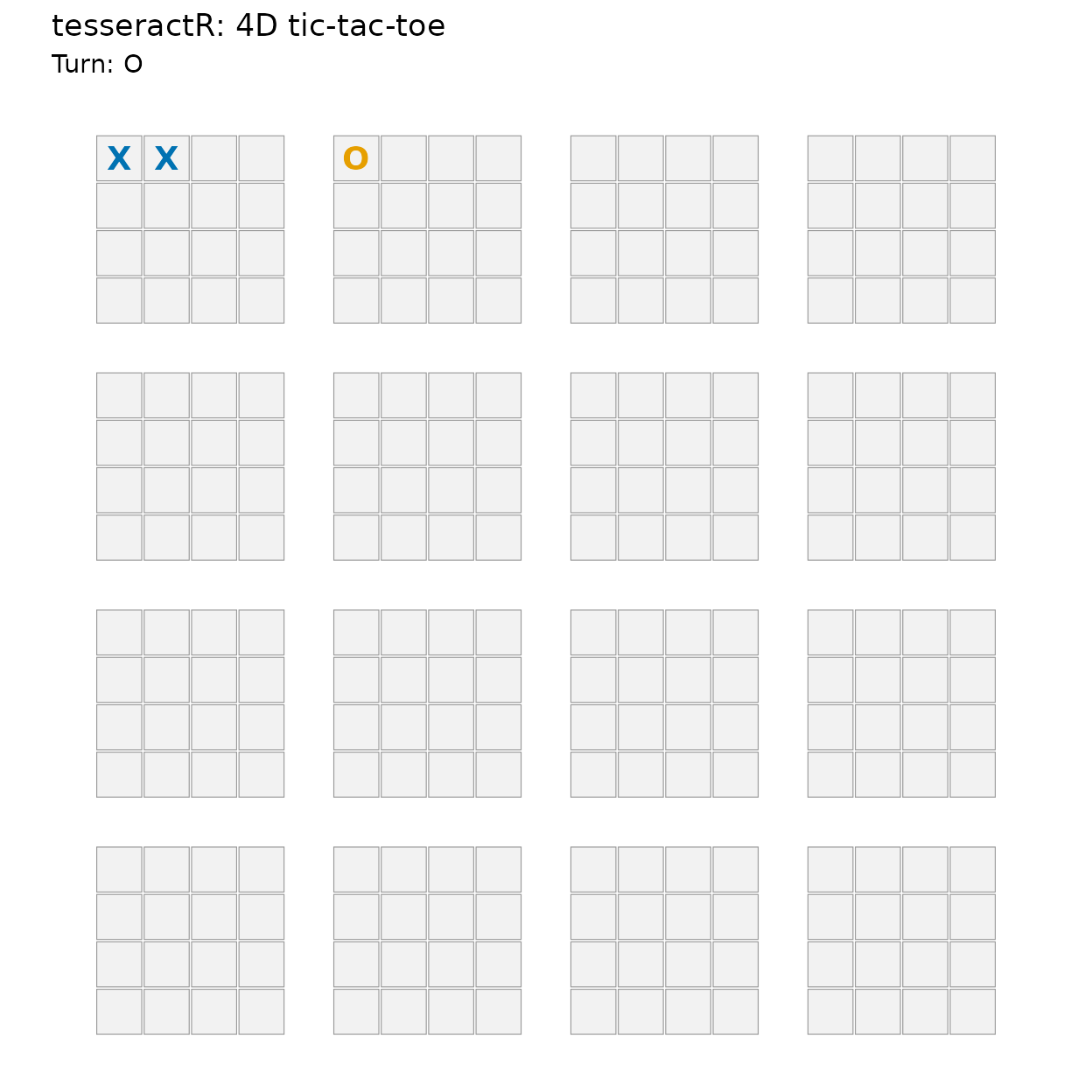
The plot draws the hypercube as a 4×4 outer grid (indexed by
(k, l)) where each cell contains an inner 4×4 board
(indexed by (i, j)). Player X is the blue mark; player O is
orange (Okabe–Ito).
Detecting a win
Win detection scans the cached 520-line table against the board state. Continuing the game until X completes an axis-aligned line:
b <- tsr_move(b, cell = 18L)        # O
b <- tsr_move(b, 2L, 0L, 0L, 0L)    # X
b <- tsr_move(b, cell = 19L)        # O
b <- tsr_move(b, 3L, 0L, 0L, 0L)    # X completes 1-2-3-4
tsr_check_win(b)
#> [1] 1
tsr_winning_line(b)
#> [1] 1 2 3 4
tsr_status(b)
#> # A tibble: 1 × 6
#>   winner is_full is_over n_moves to_move n_legal
#>    <int> <lgl>   <lgl>     <int>   <int>   <int>
#> 1      1 FALSE   TRUE          7       2       0
tsr_plot(b)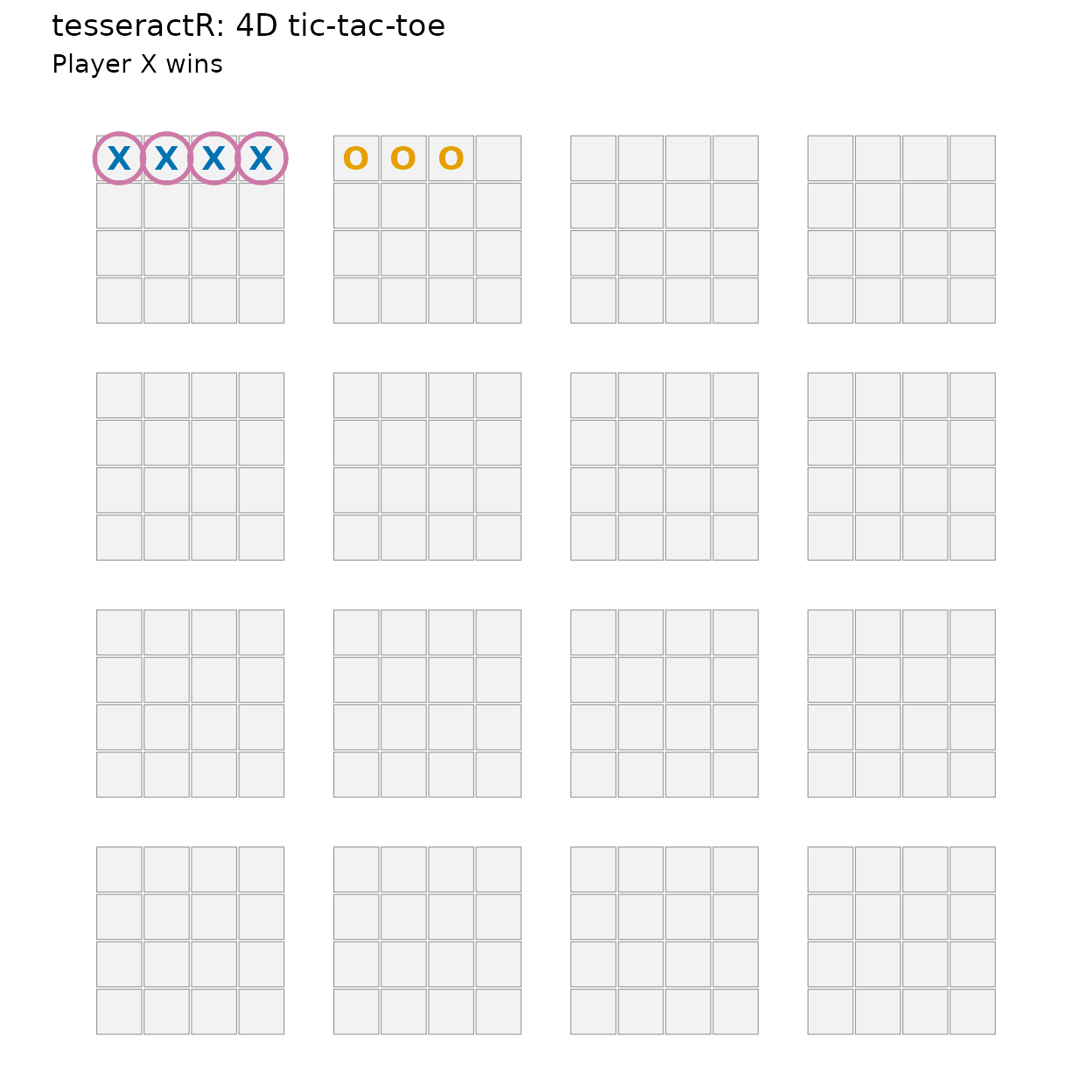
The slice view fixes one axis at one value and renders the resulting 4×4×4 cube as a strip — handy for inspecting a plane in which an otherwise scattered diagonal reads as a straight line:
tsr_plot_slice(b, axis = "l", at = 0L)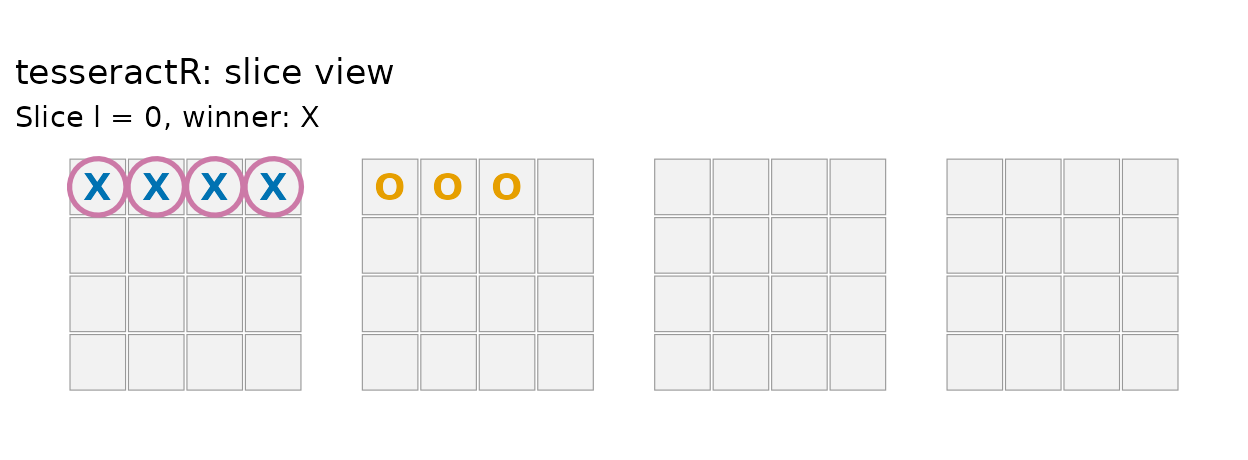
Legal moves and undo
tsr_legal_moves() is always a type-stable integer vector
(length 0 on a finished or full board). tsr_undo() rewinds
moves immutably:
length(tsr_legal_moves(tsr_new_board()))
#> [1] 256
length(tsr_legal_moves(b))
#> [1] 0

# Undo to a non-terminal position
b_pre <- tsr_undo(b, n = 1L)
tsr_status(b_pre)
#> # A tibble: 1 × 6
#>   winner is_full is_over n_moves to_move n_legal
#>    <int> <lgl>   <lgl>     <int>   <int>   <int>
#> 1      0 FALSE   FALSE         6       1     250
Playing the AI
tsr_ai_move() returns the chosen linear cell index.
Difficulty 1 always takes an immediate win and blocks an
immediate threat; higher difficulties search further ahead
(depth-limited negamax with alpha-beta).
Performance. Search is exponential in pure R — depth 4 may take several seconds on a 256-cell board. Rcpp acceleration is a planned future enhancement and is intentionally out of scope for this release.
b <- tsr_new_board()
b <- tsr_move(b, cell = 1L)              # human X
ai_o <- tsr_ai_move(b, difficulty = 1L)  # AI O
b <- tsr_move(b, cell = ai_o)
print(b)
#>
#> ── <ttt_board> ──
#>
#> 4x4x4x4 board, 256 cells
#> moves played: 2
#> to move: X
#> legal moves: 254
Evaluating positions
tsr_evaluate() returns a unitless raw score; positive
favours player. tsr_win_prob() calibrates the
score into [0, 1] via a logistic mapping whose coefficients
are fitted from self-play data (S6) and shipped as internal package
data.
b <- tsr_new_board()
b <- tsr_move(b, cell = 1L); b <- tsr_move(b, cell = 17L)
b <- tsr_move(b, cell = 2L)
tsr_evaluate(b, player = 1L)
#> [1] 23
tsr_win_prob(b, player = 1L)
#> [1] 0.5502794
tsr_rate_moves() is the per-move best-next-move surface
used by the AI, the app’s overlay, and the analysis routines:
head(tsr_rate_moves(b), 5)
#> # A tibble: 5 × 11
#>    cell     i     j     k     l score win_prob  rank is_best is_winning
#>   <int> <int> <int> <int> <int> <dbl>    <dbl> <int> <lgl>   <lgl>
#> 1     4     3     0     0     0     1    0.502     1 TRUE    FALSE
#> 2    86     1     1     1     1     0    0.5       2 FALSE   FALSE
#> 3   155     2     2     1     2     0    0.5       3 FALSE   FALSE
#> 4     3     2     0     0     0    -6    0.487     4 FALSE   FALSE
#> 5    20     3     0     1     0    -7    0.485     5 FALSE   FALSE
#> # ℹ 1 more variable: is_blocking <lgl>
The interactive app
tsr_run_app() launches the Shiny version with a live
move-rating overlay, a win-probability gauge, and a game-analysis panel.
The Full / Slice (2D) / Cube (3D) view toggle lets you change
perspective without changing state.
tsr_run_app(difficulty = 2L)Next. See Simulation and Game Analysis for self-play and post-game analytics, or jump into the playing tutorial.